Use cases
Search your bookmarks by meaning
Describe a saved page in your own words and Nisaba ranks matches by meaning. Find is in Ask and uses AI credits.
Search by meaning finds a saved page from a loose description, even when you forget its title and its exact words. In Nisaba you open Ask, switch to the Find tab and describe the page. Nisaba returns your saves as ranked results.
Keyword search and search by meaning
Keyword search matches the words you type. The search field in your Library looks in titles, links, tags and notes, and the Full text switch adds the text of saved pages and AI summaries. Search by meaning ranks your saves by the idea you describe, so a half-remembered idea can be enough.
A real example
A sample library holds the article "Local-first software: you own your data, in spite of the cloud". You type this query in Find: "that piece about owning your data when the cloud goes away". The article comes back as a result. The query is a loose description of the idea, and the title is a different sentence.
| Question | Keyword search | Search by meaning |
|---|---|---|
| Where you find it | The search field in Library, or Search or jump to... with Cmd or Ctrl + K | Ask, then the Find tab |
| What it matches | Words in titles, links, tags and notes; with Full text, also saved pages and AI summaries | The idea you describe, shown as ranked results |
| AI credits | None | Find uses AI credits |
| With AI off or no credits | Keeps working | Find uses keyword ranking instead |
Find a page by meaning
- Open Ask in the sidebar and switch to Find.
- Describe what you are looking for in your own words. You can add filters like tag: or site:.
- Choose Search.
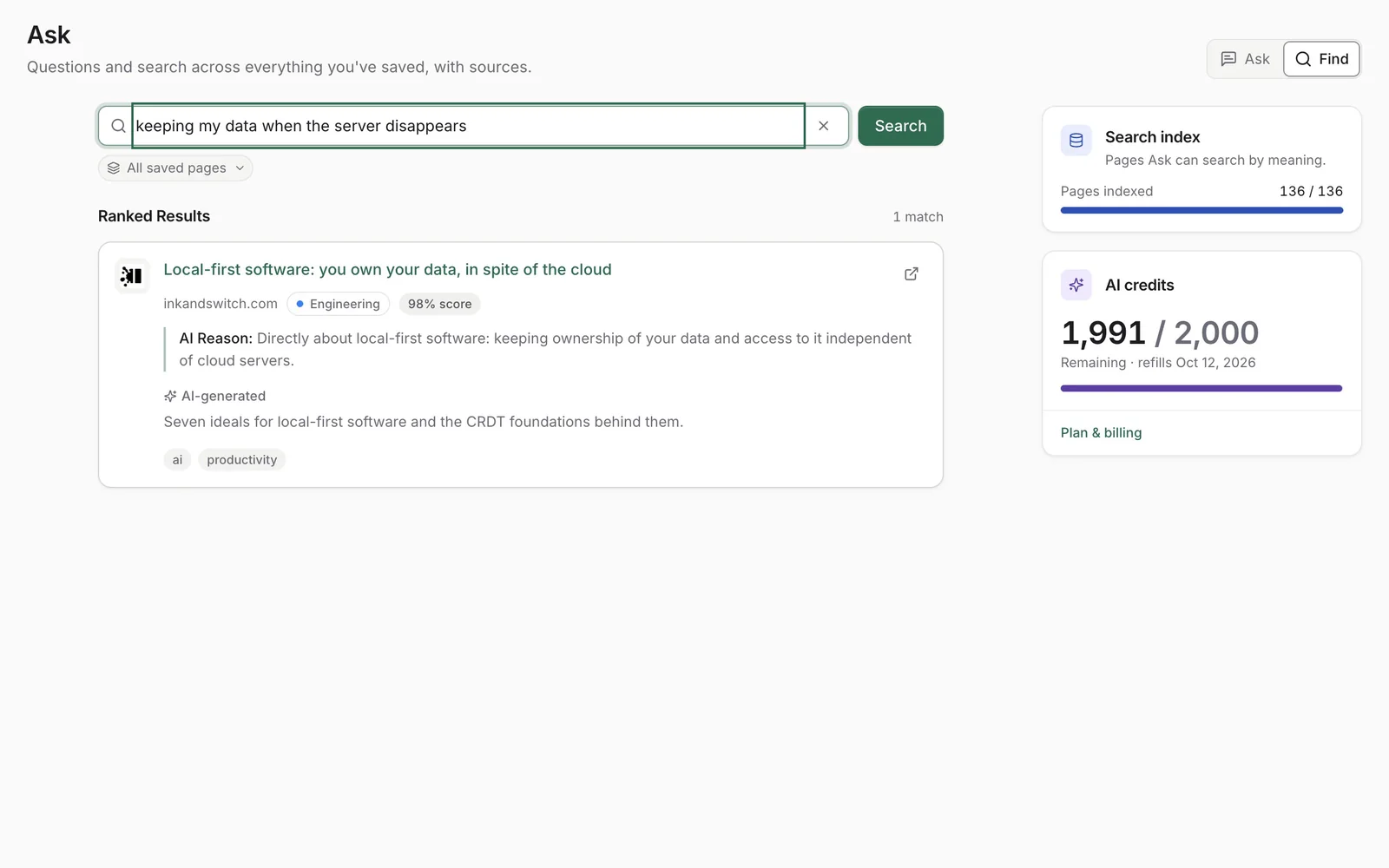
- Read the Ranked Results and open the page that fits.
Who ranks the results
TypeSafe (model Jev) ranks search results in the USA with zero data retention. OpenAI ranks them when TypeSafe returns no usable result. Under their terms, neither trains models on this data. Each result shows a score when AI ranks it. A result ranked by OpenAI can also show a short AI Reason that says why it matches.
Credits and limits
- Find uses AI credits. The number depends on how much text the AI processes, so there is no fixed price per search.
- Free gives your account 200 AI credits once, at sign-up. Pro adds 2,000 AI credits every month.
- If AI is off, your credits are used up or AI ranking does not respond, Find uses keyword ranking. If AI ranking does not respond, no credits are used.
- Nisaba needs an internet connection.
Note: AI output can be incomplete or wrong. Please check important details at the sources named. A ranked result is a suggestion: open the page to confirm it is the one you meant.
Last updated: