Using Nisaba
Search and Ask
Search by keyword or by meaning, and ask your library questions with answers that cite your saves.
Search by keyword or by meaning. Or ask a question in plain language: the answer is written from your saves and lists the pages it used.
Search by keyword
- The search field in your Library looks in titles, links, tags and notes.
- Turn on Full text to also search inside saved pages and AI summaries.
- Search or jump to… at the top of the screen finds bookmarks and pages. Press Cmd or Ctrl + K to open it.
Keyword search keeps working when AI is off and when your AI credits run out.
Find by meaning
- Open Ask in the sidebar and switch to Find.
- Describe what you are looking for in your own words. You can add filters like tag: or site:.
- Choose Search.
The results come back as Ranked Results. When AI ranks them, each result shows a score; when OpenAI ranks them, a result can also show a short AI Reason that says why it matches.
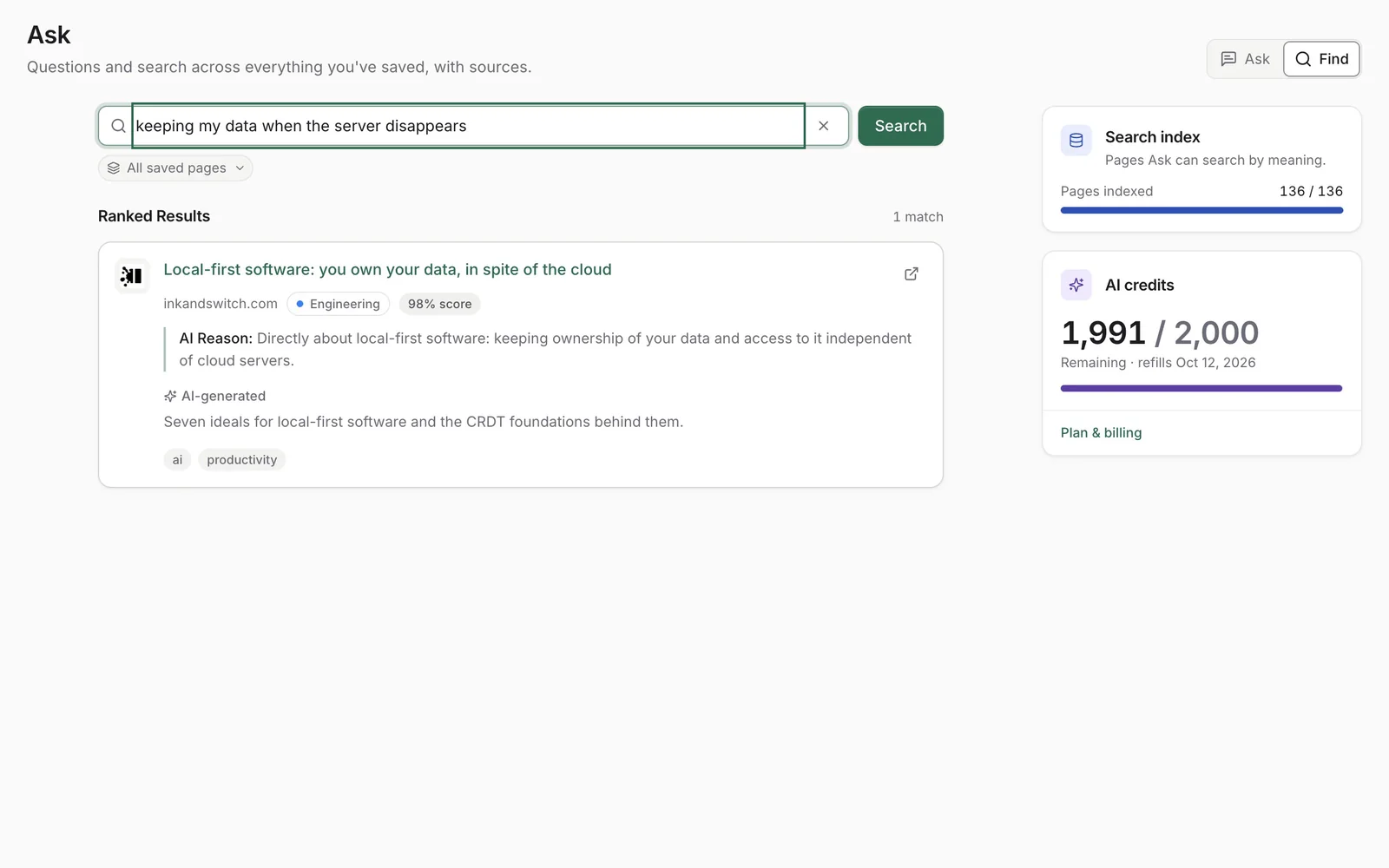
TypeSafe ranks the results. If TypeSafe returns no usable result, OpenAI ranks them. Find uses AI credits.
Note: When AI is off, when you are out of AI credits or when AI ranking does not respond, Find uses keyword ranking instead. If AI ranking does not respond, no credits are used.
Ask your library
- Open Ask in the sidebar.
- Choose where to look: All saved pages or one workspace.
- Type your question and send it.
The answer is written from your saves and lists the pages it used under the answer, so you can open and check them. Answers are marked AI-generated.
AI output can be incomplete or wrong. Please check important details at the sources named.
The search index
Ask searches by meaning in the pages of its search index. The Search index card shows how many pages are indexed. If some saved pages cannot be searched by meaning yet, choose Index now. Opening a page in the reader also indexes it.
Tip: With AI off, Ask still finds matching passages by keyword, and nothing is sent to an AI provider. When your credits run out, AI answers pause and keyword search keeps working.
Last updated: