Move to Nisaba
Import a Pocket export into Nisaba
Pocket closed its export on 12 November 2025. If you downloaded your file before then, Nisaba imports it as CSV or HTML.
You can import a Pocket export only if you downloaded the file before 12 November 2025. Pocket closed its export on that date, so a new export is no longer possible, and Nisaba cannot recover an export you do not have. If you have the file, Nisaba reads it and shows a preview before anything is saved.
Find your file
Look for ril_export.html or a CSV file from Pocket. Check your Downloads folder, old backups, cloud storage and email attachments. Nisaba has no way to ask Pocket for the data.
CSV or HTML
| Pocket data | CSV | HTML |
|---|---|---|
| Title, URL, date added, tags | Kept | Kept |
| Read state | Kept: unread goes to Read Later, archive counts as read | Not kept |
If you have both files, upload the CSV, because it keeps the read state. The table comes from a test on 1 November 2026 with sample files. It is not a test on a real account.
Import the file
- Choose Import in the sidebar.
- Under Where are your bookmarks?, pick Pocket. The page shows what to look for.
- Drop the file on the page or choose Choose file. Files up to 10 MB work.
- Check how many links were found, then choose Continue to preview.
- Look through the preview and the import options, then choose Import.
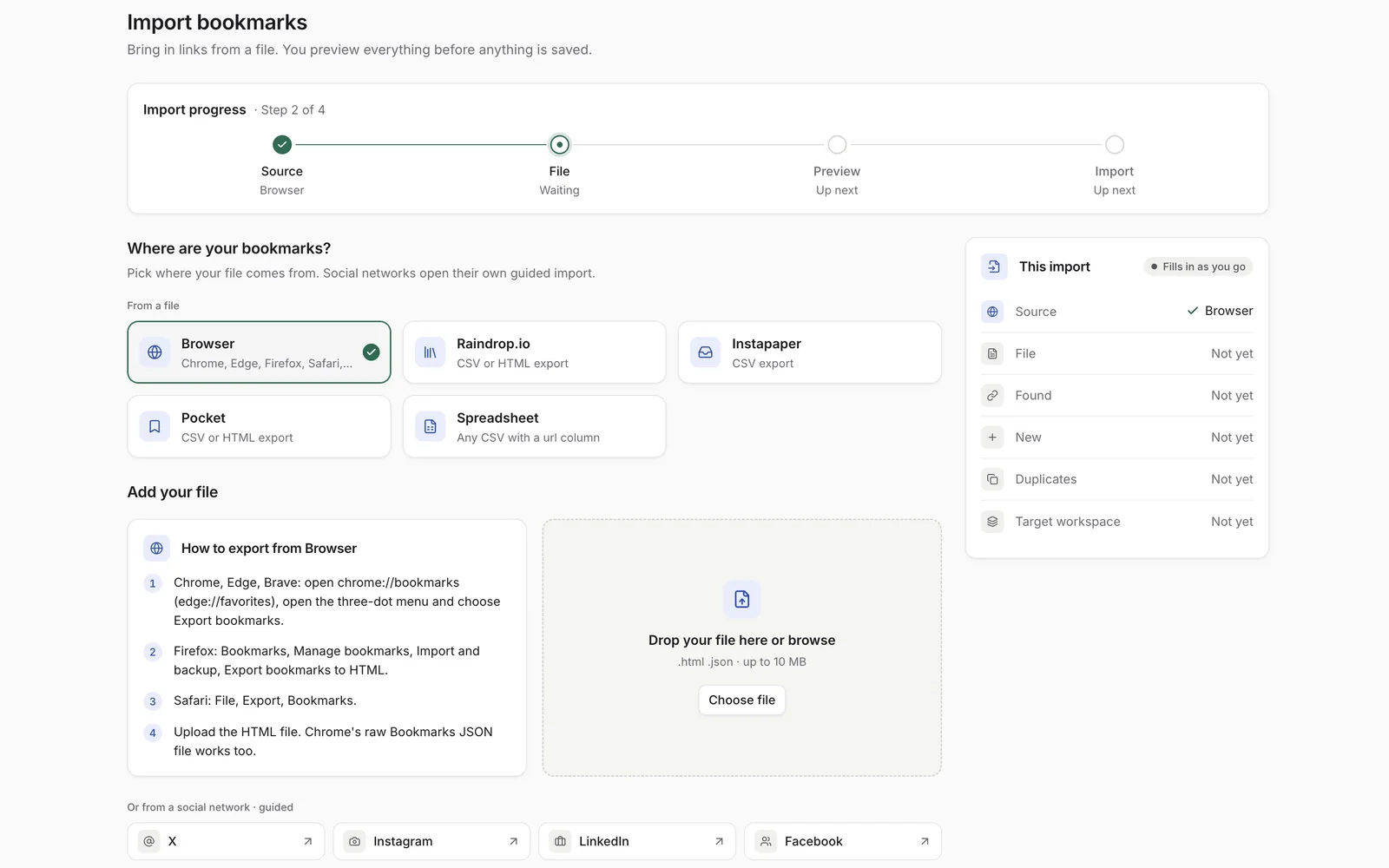
Nisaba reads the format from the file itself, so picking the wrong source does no harm.
Example
Say your CSV holds 400 saves, and 60 of them were still unread in Pocket. After the import, the 60 unread items sit in Read Later in the sidebar, and the other 340 count as read. With the HTML file, the same 400 links come over with their title, URL, date and tags, and the read state is gone.
Preview and duplicates
The preview shows the new links, the links that are already saved, links repeated in the file, the folders and the most used tags. Skip links that are already saved matches the same page even with a different tracking parameter, www or trailing slash, and is recommended. The import report shows what was added, which duplicates were skipped and what could not be imported.
Limits
- Nisaba imports a Pocket file only. There is no live import from Pocket.
- Nisaba cannot recover a missing export.
- Bookmark files can hold up to 10 MB and 50,000 items.
- Nisaba needs an internet connection, and there is no native mobile app yet.
Last updated: