Compare
Nisaba vs Readwise Reader: save, read and highlight
Compare Nisaba and Readwise Reader on reading, highlights, AI, platforms and price, and see which reader each one suits.
Readwise Reader suits you if you read PDFs, EPUBs, RSS feeds and newsletters in one place and want App Store and Google Play apps. Nisaba suits you if you save web pages and bookmarks, search them by meaning and ask questions answered from your saves. Nisaba has no native mobile app and needs an internet connection.
Facts side by side
| Topic | Nisaba | Readwise Reader |
|---|---|---|
| Platforms | Web app for desktop and phone browsers, installable as an app; Chrome extension | Web app; iOS, Android, Mac and Windows apps; extensions for Chrome, Firefox and Safari |
| Reading | Reader with a clean copy of the page, text size, Serif or Sans, color highlights and notes | Lists PDFs, EPUBs and text to speech |
| RSS feeds | Follows RSS feeds. Free: 3 feeds. Pro: no limit within the fair-use caps | Lists RSS feeds and newsletters |
| AI | Category and tag suggestions, Ask, summaries and translations; uses AI credits | Ghostreader AI to summarize, explain and translate |
| Highlights | Collected under Highlights in the sidebar; copy a highlight as Markdown | Highlights and notes in Reader, downloadable as Markdown. Full Readwise adds the Highlights product |
| Price | Free: €0, no time limit. Pro: €6.99 a month or €59 a year | Reader only: $7.99 a month billed yearly. Full Readwise with Reader and Highlights: $9.99 a month billed yearly |
| Export | ZIP, HTML, JSON or CSV, free on every plan | CSV of the library, ZIP of files and articles, OPML of feeds, Markdown of highlights |
Checked on 1 November 2026 on readwise.io/pricing, readwise.io/read and docs.readwise.io.
Note: With a billing country in the EU these are final prices, as FluxonLab currently charges no VAT; outside the EU, Link (by Stripe) sells Pro as merchant of record and may add local taxes at checkout.
A reading session
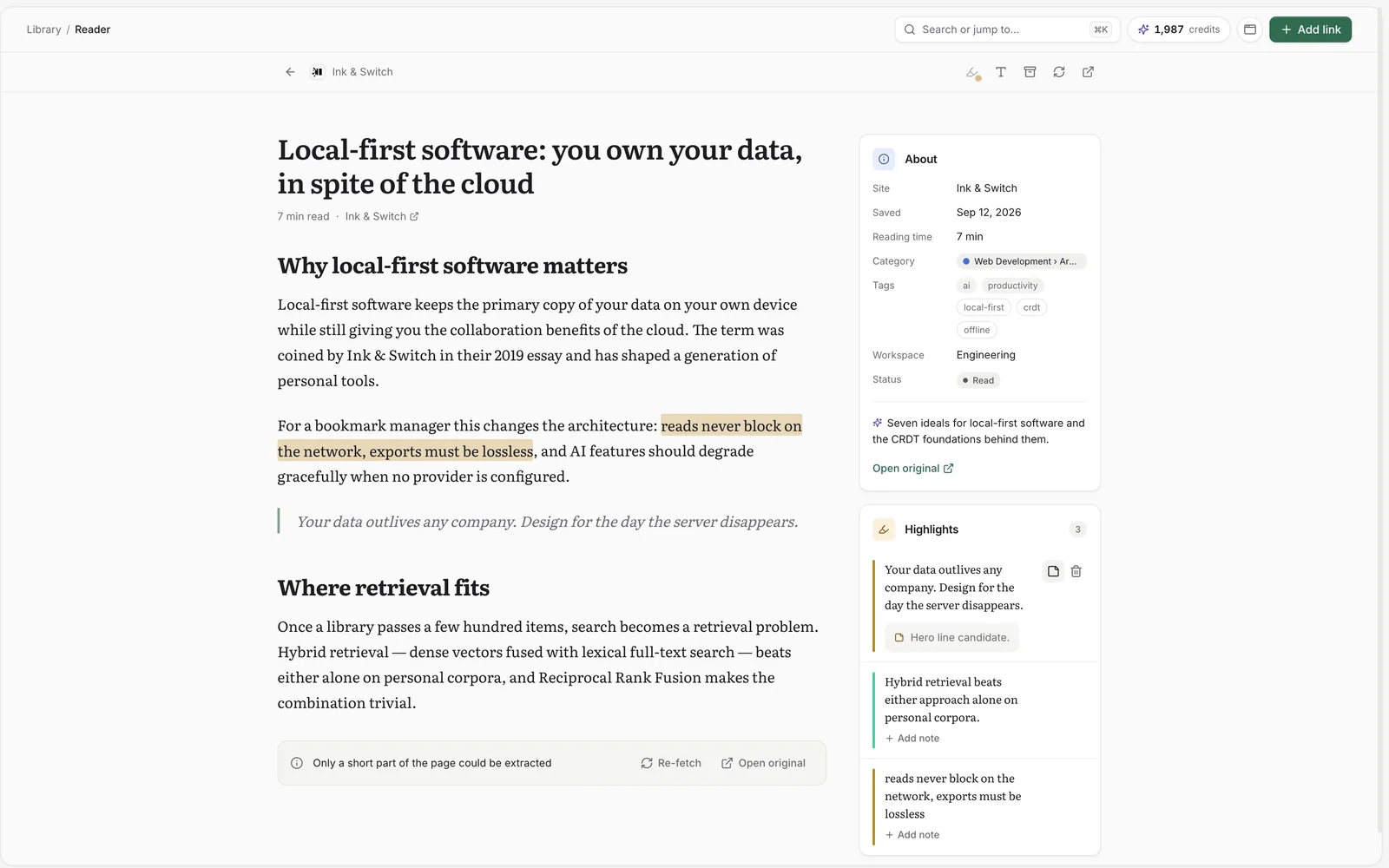
Say you save a long article. In Nisaba, open it in the reader, select two passages, pick a color for each and add a note under one. Later, open Highlights in the sidebar, filter by color and copy a highlight as Markdown. Nisaba is built around web pages and follows RSS feeds too. It has no EPUB support and no newsletter inbox, so if those are your main reading, check Reader first.
Moving over
Reader exports your library as CSV. Nisaba has no Reader-specific import, and that CSV was not tested here. A CSV with a url column and a header row goes through the Spreadsheet import, with optional title, note, tags, folder and created columns. Nisaba also imports bookmark files, Raindrop and Instapaper exports and a Pocket export file. You see a preview before anything is imported.
Nisaba's limits
- There is no native mobile app yet. On an iPhone or iPad, Safari cannot add Nisaba to the Share menu, so you add Nisaba to your Home Screen and paste links.
- The extension is for Chrome only.
- Nisaba needs an internet connection.
- Search by meaning and summaries use AI credits. AI output can be incomplete or wrong, so check important details at the sources named.
Last updated: